Features How it works Pricing Blog Web App Download iOS App Start free trial →
🔨 iOS app & web dashboard

Stop answering
"how's it going?"

Keep clients updated in real time. Coordinate subcontractors, manage projects, quotes and invoices. Your phone on site, your browser at the desk — one account, everything in sync.

Start free trial → Download on the App Store

14-day free trial · No payment needed · Clients join free · GB, US, AU, CA, NZ & more
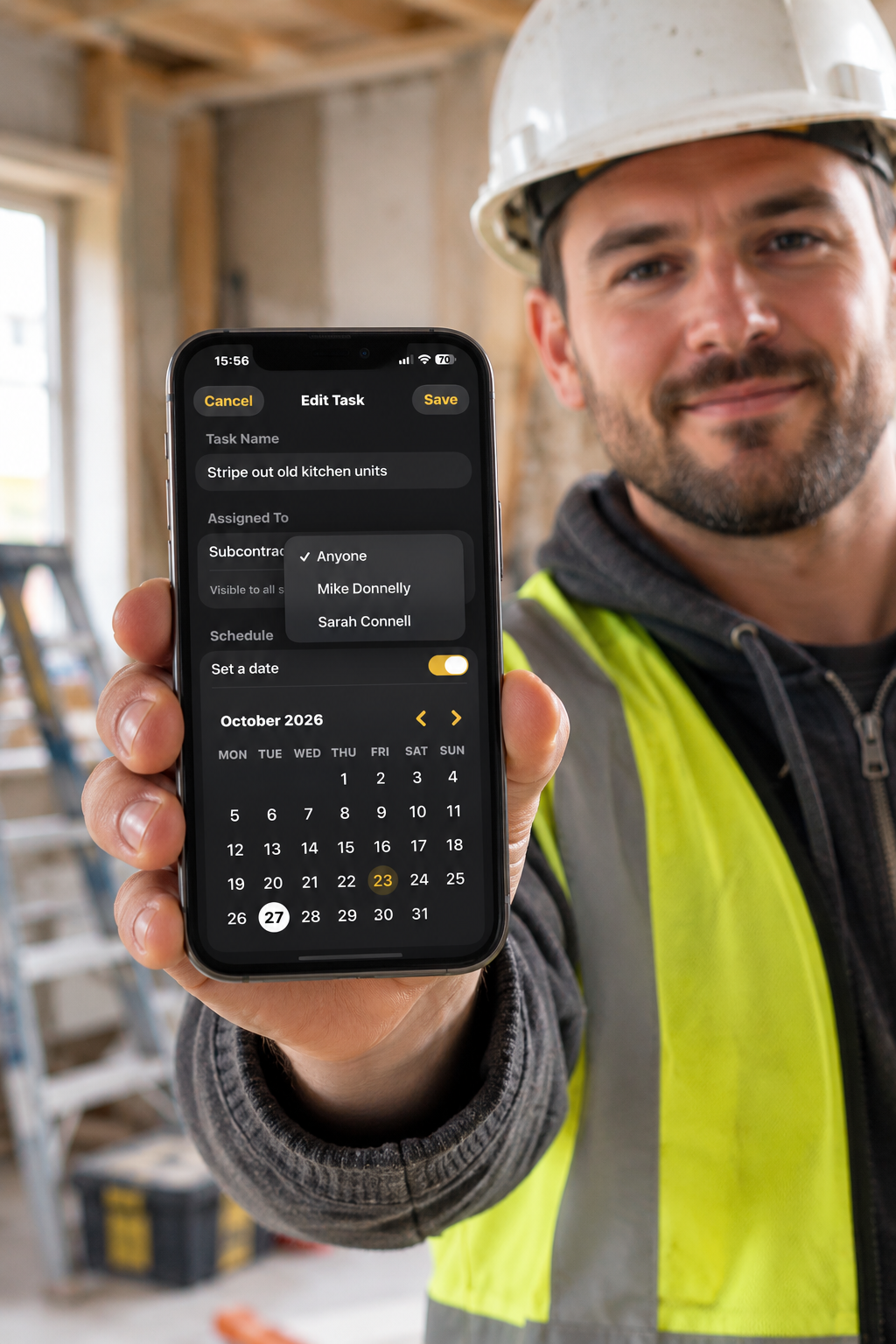
Builder on site using RenovateIQ Business to assign tasks to subcontractors
Built for the job site

Manage your subs from where you're standing.

Assign tasks, set deadlines and message subcontractors directly from the job — no calls, no WhatsApp threads, no chasing.

  • Assign any task to a specific sub in seconds
  • Schedule work with a built-in calendar
  • Everyone sees only what they need to
See it in action

Built for the job site.
Loved by clients.

Real projects, real conversations — managed from your phone or browser.

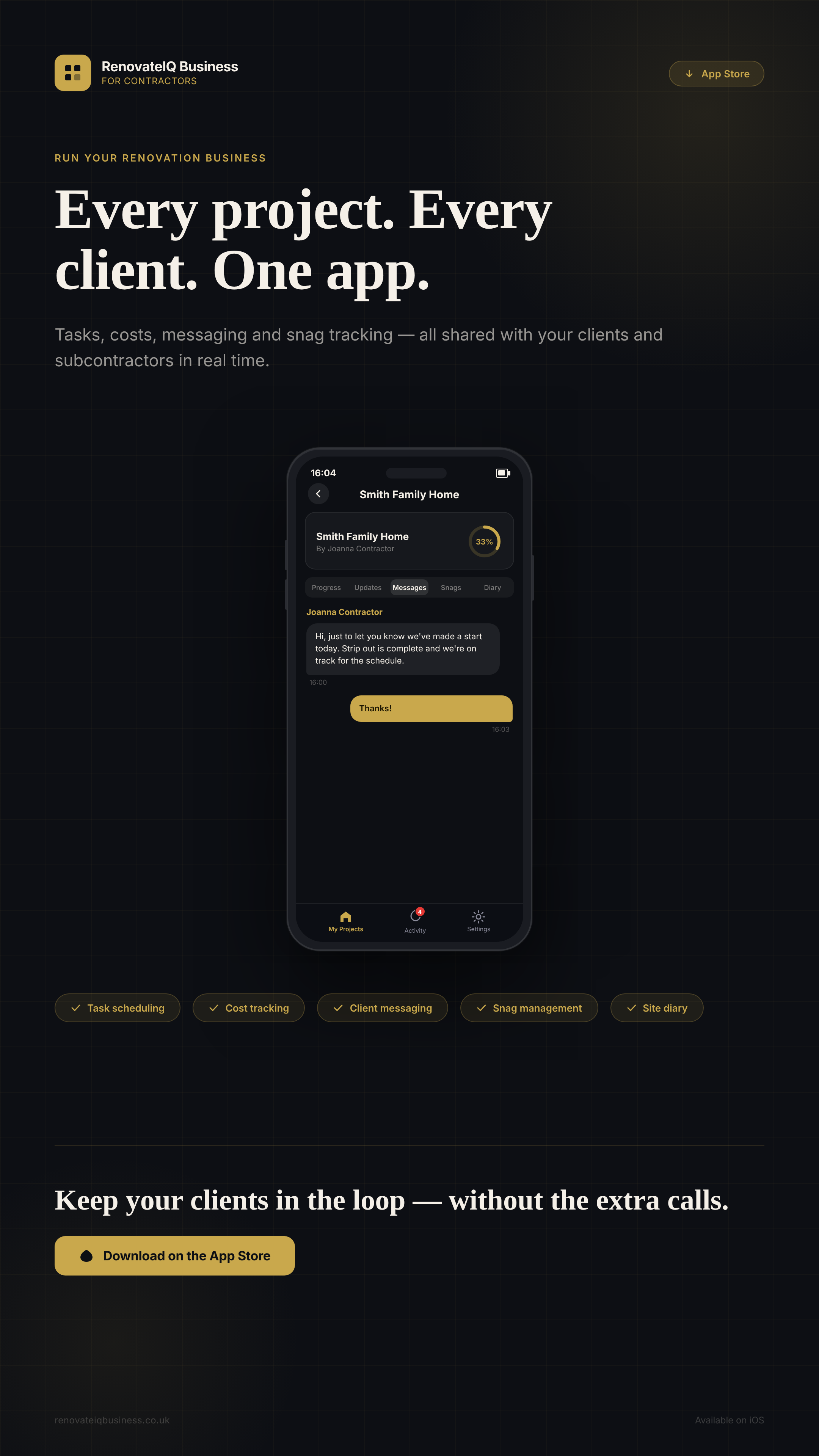
RenovateIQ Business — project overview with client messaging
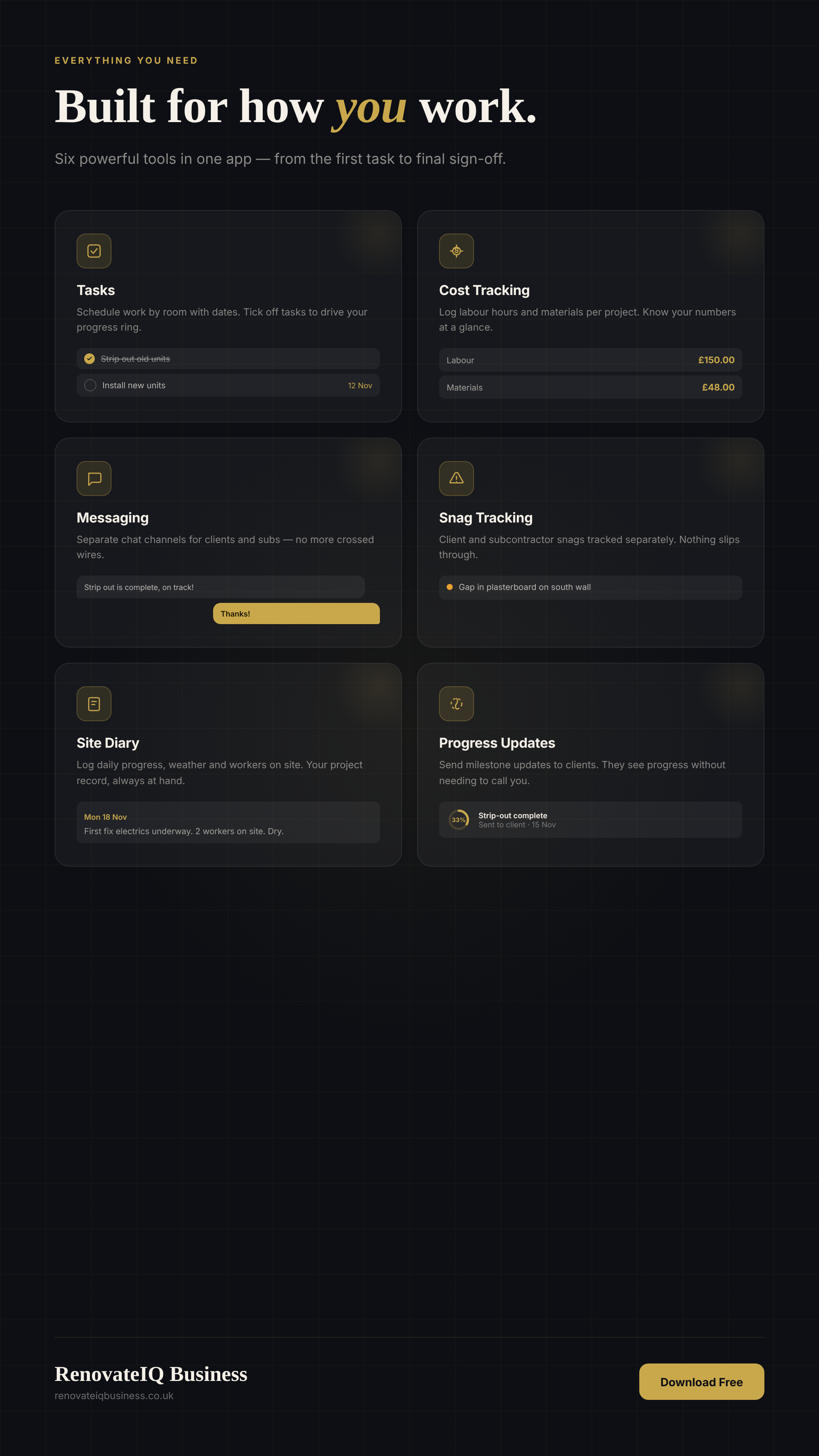
RenovateIQ Business — tasks, costs, snags, diary and progress tracking
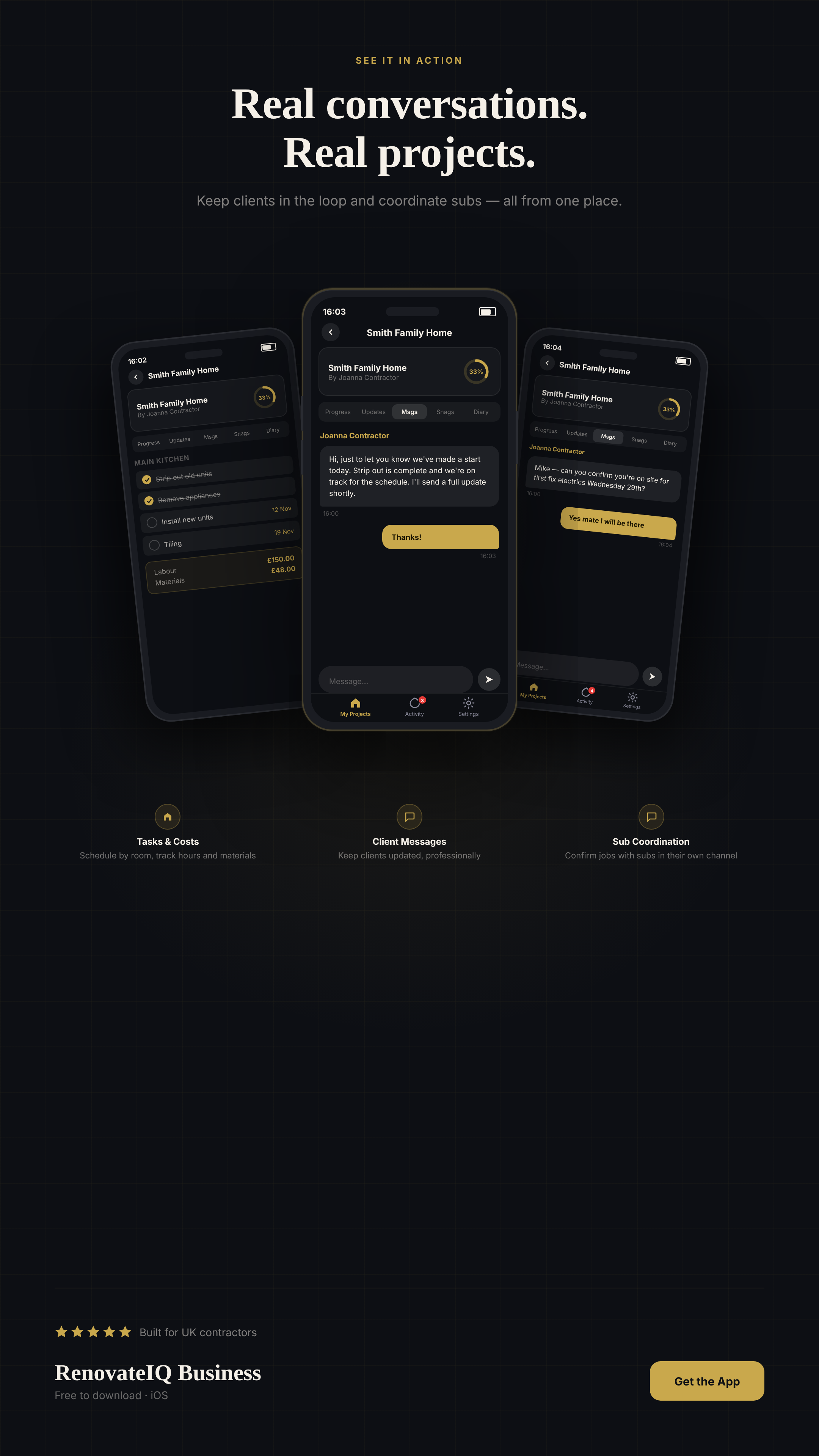
RenovateIQ Business — client and subcontractor messaging
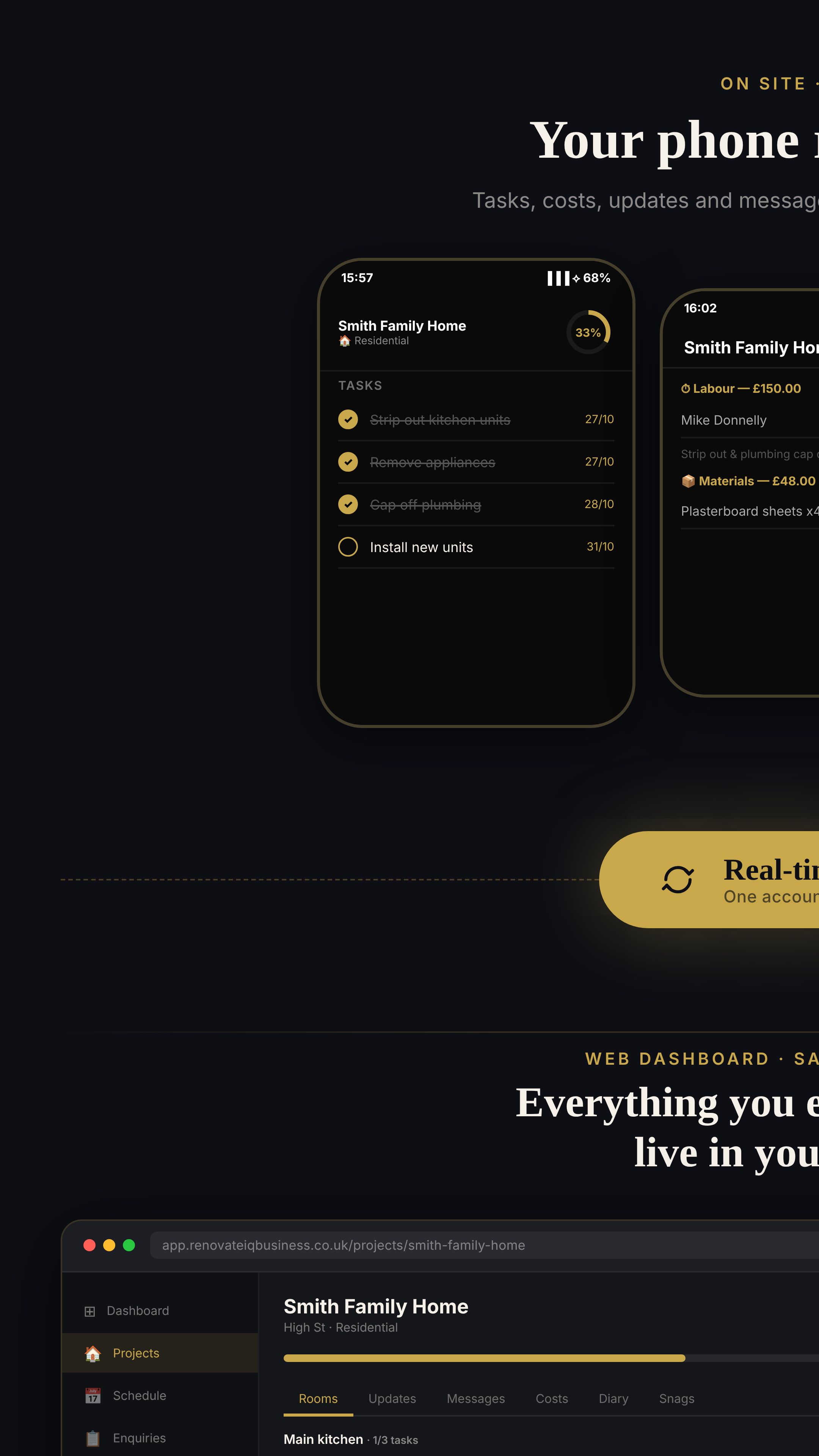
RenovateIQ Business — iOS to web sync with quotes, leads and invoices

Tap any image to expand · Available on iOS & web

14-day free trial
No payment details needed
Clients & subbies join free
Cancel anytime
Available in GB · US · AU · CA · NZ · IE

One account.
Two platforms.

RenovateIQ Business works on your iPhone on site and in any browser at the desk. Same account, same projects, everything synced automatically.

📱
iOS App
iPhone & iPad · iOS 17+
  • ✓ Manage projects and rooms on site
  • ✓ Send photo progress updates
  • ✓ Invite clients & subcontractors
  • ✓ Real-time two-way messaging
  • ✓ Site diary & daily logs
  • ✓ Client sign-off
  • ✓ Task assignment, schedule & costs
  • ✓ Offline mode
Download on the App Store
🔄
Everything syncs instantly
Create a project on your phone and it's in your browser immediately. Messages, updates, tasks — all live.
🌍
Your region, everywhere
Currency, VAT or GST, and date formats adapt to your region — identical on iOS and in the browser.
🔐
One login, every device
Same account on app and web. No separate setup, no data duplication, no extra steps.

Up and running in minutes

Start on iOS or in your browser — you're set up in four steps.

1
Create your account
Sign up on the iOS app or at the web dashboard. Set your region and you're ready to go.
2
Add a project
Create a project from your phone on site or from your browser. Rooms, tasks and photos sync in real time.
3
Invite clients & subs
Clients join free with an 8-character code — no app needed on their end. Add unlimited subcontractors to any project at no extra cost.
4
Quote, invoice, sign off
Build quotes and invoices at the desk. Send updates from the site. Client signs off in the app.

Everything you need,
on site and at the desk

iOS for the job. Browser for the paperwork. One account that does both.

📋
Project Management
Create projects for any property. Add rooms, tasks and photos from your phone on site or browser at the desk. Everything synced instantly.
See how it works →
💰
Quotes
Build professional, itemised quotes from the web dashboard. Send by email, track accepted and declined, and raise a project directly from a won quote.
See how it works →
🧾
Invoices
Create and send invoices tied to your projects. Recurring billing, one-click labour invoices from your time log, and a clear view of what's paid and outstanding.
See how it works →
📲
Client Updates
Send photo progress updates from your phone as work happens. Clients see it instantly — whether you message from iOS or the web, they get it in real time.
See how it works →
📥
Enquiry Tracker
Log every lead the moment it comes in. Track through New → Quoted → Won → Lost. Raise a quote directly from an enquiry so nothing slips through.
See how it works →
📅
Schedule
See all upcoming and overdue tasks across every project in one view, grouped by date. Overdue work is flagged so nothing falls behind. Available on iOS and web.
See how it works →
💬
Messages
Reply to clients from your phone or browser. Subcontractors message you directly in the app. Everyone sees what they need to see, wherever you are.
See how it works →
📊
Reports
See revenue, outstanding invoices and conversion rates at a glance. Export to CSV for your accountant. Know exactly where your business stands.
See how it works →
⏱️
Time Tracking
Log hours against any project. Set a default labour rate and costs calculate automatically. Convert your time log to a labour invoice with one click.
✅
Client Sign-Off
Clients sign off on completed work directly in the app. A clear, professional record of what's been agreed — visible from iOS and the web dashboard.
Learn more →
🐛
Snag Lists
Log snag items against any project. Track each from Open through In Progress to Resolved. Subcontractors raise and update snags directly in the app.
Learn more →
📓
Site Diary
Keep a daily record of every job. Log notes, photos and what was done each day. A professional record of every site visit — available on iOS and web.
Learn more →
📶
Offline Mode
No signal on site? No problem. The iOS app works offline — log tasks, costs and notes as normal. Everything syncs automatically the moment you're back online.

Need a site diary template? Download our free printable site diary.

One app. Three roles.

Everyone sees exactly what they need — nothing more, nothing less.

🔨
Contractor
You run the project. Manage rooms, tasks, updates and your whole team from one screen.
  • ✓ Create and manage projects
  • ✓ Add rooms and assign tasks
  • ✓ Send updates with photos
  • ✓ Invite clients and subcontractors
  • ✓ Build quotes and invoices
  • ✓ Receive client sign-off
🏠
Client
Your client joins free. They see progress, updates and photos — without being in the noise.
  • ✓ Join with an invite code — free
  • ✓ See real-time progress updates
  • ✓ View photos from the site
  • ✓ Message the contractor directly
  • ✓ Sign off on completed work
🪛
Subcontractor
Your subbies join free. They see their tasks, tick them off, and message you directly.
  • ✓ Join with an invite code — free
  • ✓ See assigned rooms and tasks
  • ✓ Tick off tasks as work is done
  • ✓ Add new tasks to rooms
  • ✓ Message the contractor directly
  • ✓ Raise snag issues

Simple, honest pricing

Two platforms, two separate subscriptions — each with a 14-day free trial. Use iOS, the web, or both.

iOS App
£9.99/mo
per contractor · billed monthly · $12.99 USD
14-day free trial · No payment needed
  • ✓ Unlimited projects
  • ✓ Unlimited clients & subcontractors
  • ✓ Real-time client updates
  • ✓ Photo progress updates
  • ✓ Two-way messaging
  • ✓ Client sign-off
  • ✓ Site diary & daily logs
  • ✓ Cancel anytime
Try free on the App Store

Clients and subcontractors always join free using an invite code.

Guides for contractors

Practical advice on running a renovation business, managing clients and winning more work.

Frequently asked questions

Is there a free trial? +
Yes — RenovateIQ Business comes with a 14-day free trial on both the iOS app and the web dashboard. No payment details needed to get started on either.
How much does it cost? +
After your 14-day free trial, RenovateIQ Business costs £9.99/month — that's per platform (iOS app or web dashboard), each with its own subscription. Clients and subcontractors join your project free using an invite code.
Do my clients need to pay? +
No. Clients and subcontractors join for free using an 8-character invite code. Only the contractor pays the monthly subscription.
What devices does it work on? +
The iOS app is available on iPhone and iPad running iOS 17 or later. The web dashboard works in any modern browser on desktop, laptop or tablet — no download needed.
Do I need the iOS app to use the web dashboard? +
No — you can sign up and use the web software at app.renovateiqbusiness.co.uk without downloading the app. The iOS app and web dashboard share the same account and sync automatically.
Can I manage multiple projects at once? +
Yes. Your subscription gives you unlimited projects, unlimited clients and unlimited subcontractors across all your active jobs.
Can I cancel anytime? +
Yes. Cancel at any time — no contracts, no cancellation fees. iOS subscribers cancel through the App Store. Web subscribers cancel through Account Settings in the web dashboard.
What's the difference between a client and a subcontractor? +
Clients see project progress, updates and photos — they're kept informed without being in the working detail. Subcontractors have a more active role: they see assigned rooms and tasks, tick off work, add new tasks, raise snag issues, and message the contractor directly. Both join free.
How does the enquiry tracker work? +
The enquiry tracker is a simple CRM for contractors, available in the web dashboard. Log every lead as it comes in — client name, contact details, address and job description — and track its status through New, Quoted, Won and Lost. Raise a quote directly from an enquiry so everything stays linked.
Can I set up recurring invoices? +
Yes — available in the web dashboard. Open any invoice and choose to make it recurring at weekly, monthly or quarterly. RenovateIQ sends a copy automatically on that schedule, with a new invoice number each time.

Ready to impress your clients?

Start on your phone, manage everything from your desk. 14-day free trial.

Start free trial in browser → Download on the App Store

£9.99/month after trial · Clients join free · Cancel anytime